
Smart Buy Buttons for WooCommerce
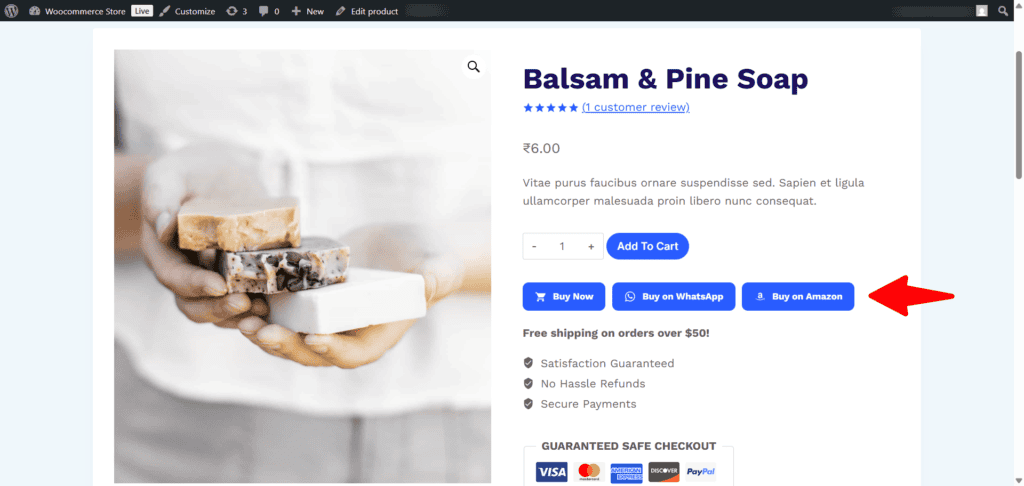
Smart Buy Buttons for WooCommerce is a powerful WooCommerce plugin that lets you display custom marketplace buttons such as Amazon, Flipkart, WhatsApp, or any external marketplace directly on your product pages.
Whether you’re running an affiliate store, a catalog website, or selling products through multiple marketplaces, this plugin makes it easy for customers to purchase from their preferred platform without modifying your theme or writing custom code.
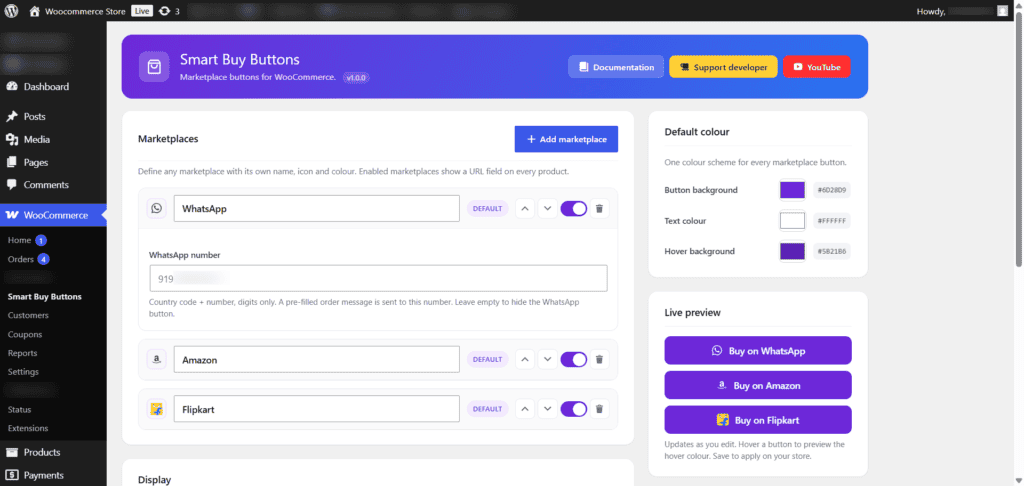
Instead of being limited to a fixed set of marketplaces, the plugin includes a flexible Marketplace Manager where you can create unlimited custom marketplaces with your own names, icons, colors, and links. The plugin is designed to work seamlessly with both simple and variable WooCommerce products.
Why Use Smart Buy Buttons?
Many WooCommerce store owners don’t always sell products directly through their website.
You may sell products on:
Instead of confusing customers, you can simply display marketplace buttons that take them directly to the correct product page.
Perfect for:
Installation
- Install and activate WooCommerce.
- Upload and activate Smart Buy Buttons for WooCommerce.
- Navigate to WooCommerce → Smart Buy Buttons.
- Create your marketplaces.
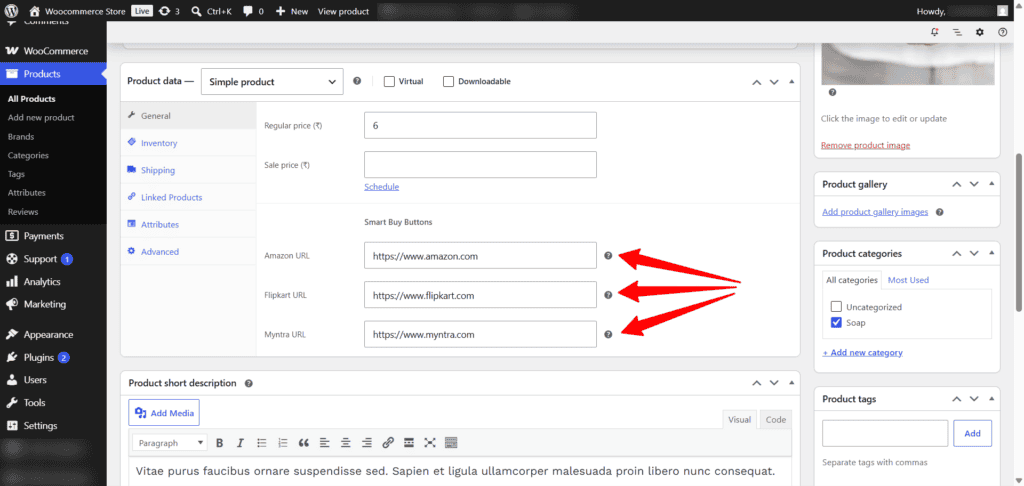
- Edit products and assign marketplace URLs.
- Save changes.
That’s it!
Screenshots
FAQs
Need Help?
If you have questions about any plugin, need assistance with setup, or would like to request a new feature, feel free to get in touch.
You can also visit my YouTube channel for step-by-step tutorials, plugin walkthroughs, and WordPress tips.