Back To Top with Scroll Progress Button in Blogger (Step-by-Step Guide)
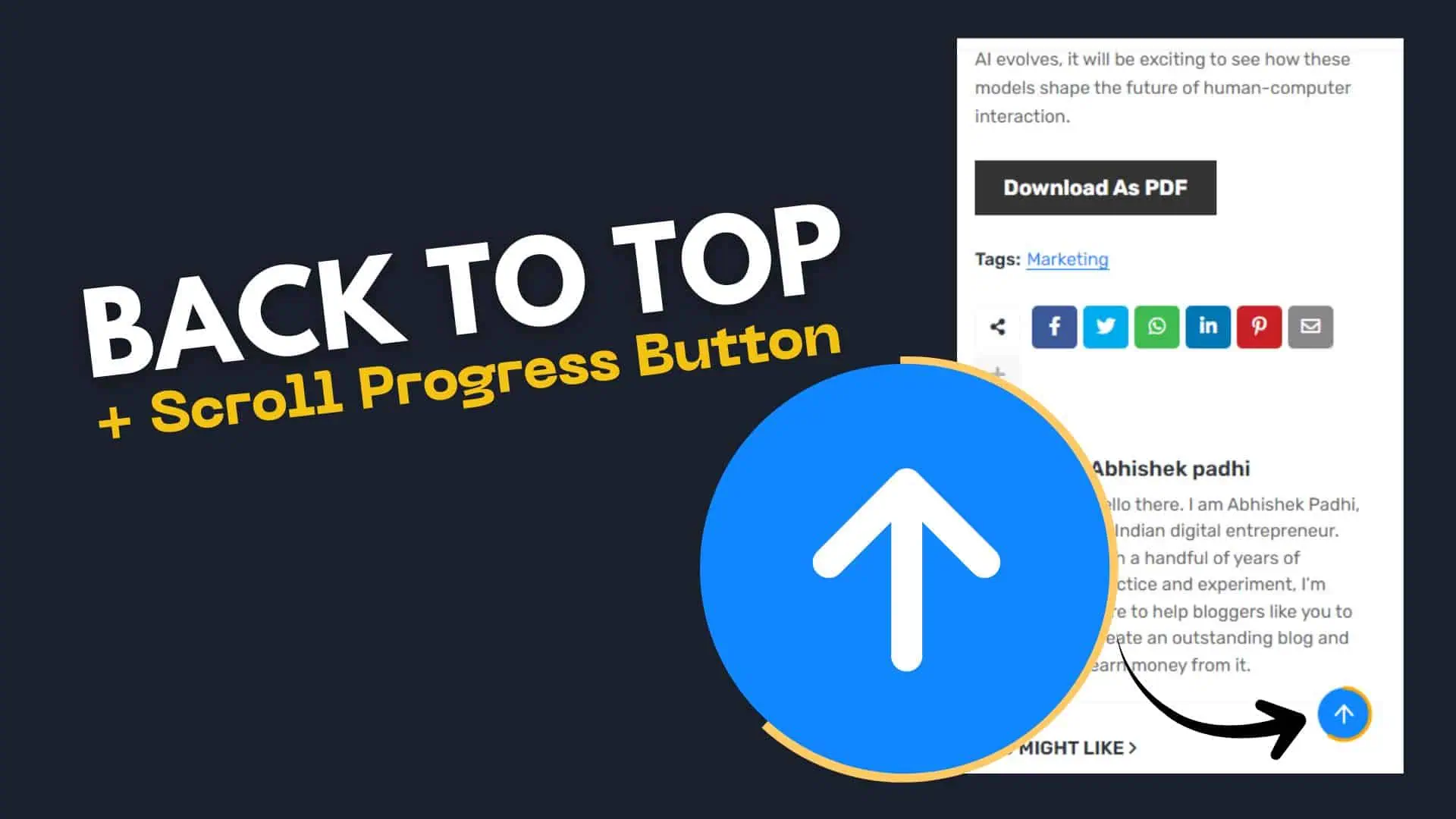
Adding a Back to Top button with a scroll progress indicator is a simple way to improve user experience on your Blogger website. It helps visitors quickly jump to the top and also shows how much of the page they have read.
In this guide, you’ll learn how to create a clean and lightweight version using HTML, CSS, and JavaScript.
Why You Should Add It
A long blog post can feel overwhelming, especially on mobile. This button solves two problems:
- Users can instantly go back to the top
- Readers can track their reading progress
- Improves navigation and engagement
- Makes your website look modern
How It Works
The button stays hidden when the page loads. As the user scrolls down:
- The button appears
- A circular progress indicator starts filling
- Clicking the button smoothly scrolls to the top
How to Add the Back to Top Script in Blogger
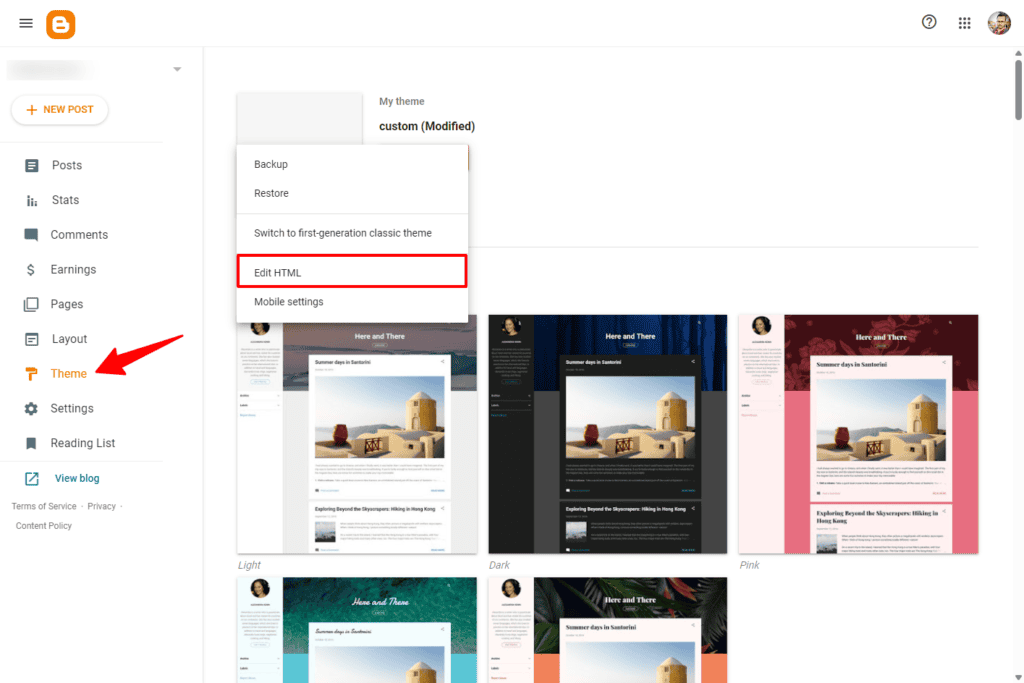
Go to Blogger Dashboard → Theme → Edit HTML
Paste this code before </body>
<!-- Back To Top + Scroll Progress Button -->
<style>
#btt-btn {
position: fixed;
bottom: 24px;
right: 24px;
width: 52px;
height: 52px;
cursor: pointer;
opacity: 0;
transform: translateY(12px);
transition: opacity .35s, transform .35s;
pointer-events: none;
z-index: 9999;
}
#btt-btn.visible {
opacity: 1;
transform: translateY(0);
pointer-events: auto;
}
#btt-btn:hover circle:first-child {
fill: #2a2a4e;
}
</style>
<div id='btt-btn' onclick='window.scrollTo({top:0,behavior:'smooth'})'>
<svg height='52' viewBox='0 0 52 52' width='52'>
<circle cx='26' cy='26' fill='#1087FF' r='22' style='transition:fill .2s'/>
<circle cx='26' cy='26' fill='none' id='btt-ring' r='22' stroke='orange' stroke-dasharray='138.23' stroke-dashoffset='138.23' stroke-linecap='round' stroke-width='3' style='transition:stroke-dashoffset .12s linear' transform='rotate(-90 26 26)'/>
<polyline fill='none' points='26,19 19,27 26,19 33,27' stroke='white' stroke-linecap='round' stroke-linejoin='round' stroke-width='2'/>
<line stroke='white' stroke-linecap='round' stroke-width='2' x1='26' x2='26' y1='19' y2='33'/>
</svg>
</div>
<script>
(function() {
var btn = document.getElementById('btt-btn');
var ring = document.getElementById('btt-ring');
var circ = 138.23;
function onScroll() {
var scrolled = window.scrollY || document.documentElement.scrollTop;
var total = document.documentElement.scrollHeight
- document.documentElement.clientHeight;
var pct = total > 0 ? scrolled / total : 0;
ring.style.strokeDashoffset = circ - (circ * pct);
if (scrolled > total * 0.1) {
btn.classList.add('visible');
} else {
btn.classList.remove('visible');
}
}
window.addEventListener('scroll', onScroll, {passive:true});
})();
</script>This button works perfectly on mobile devices. Since Blogger themes are responsive, the button will stay fixed and accessible without breaking layout.
Conflicts with theme?
Use unique IDs if your theme already has a similar button.
Read Also: How To Add Reading Scroll Progress Bar In WordPress (Without Plugin)
Conclusion
A Back to Top button with scroll progress is a small feature that makes a big difference. It improves usability, keeps users engaged, and adds a modern touch to your Blogger website.
The best part is that it’s lightweight and doesn’t require any plugin. Just copy, paste, and customize based on your design.
If you regularly publish long articles, this is definitely worth adding to your site.