How to Activate Reading Mode in Blogger (2026)
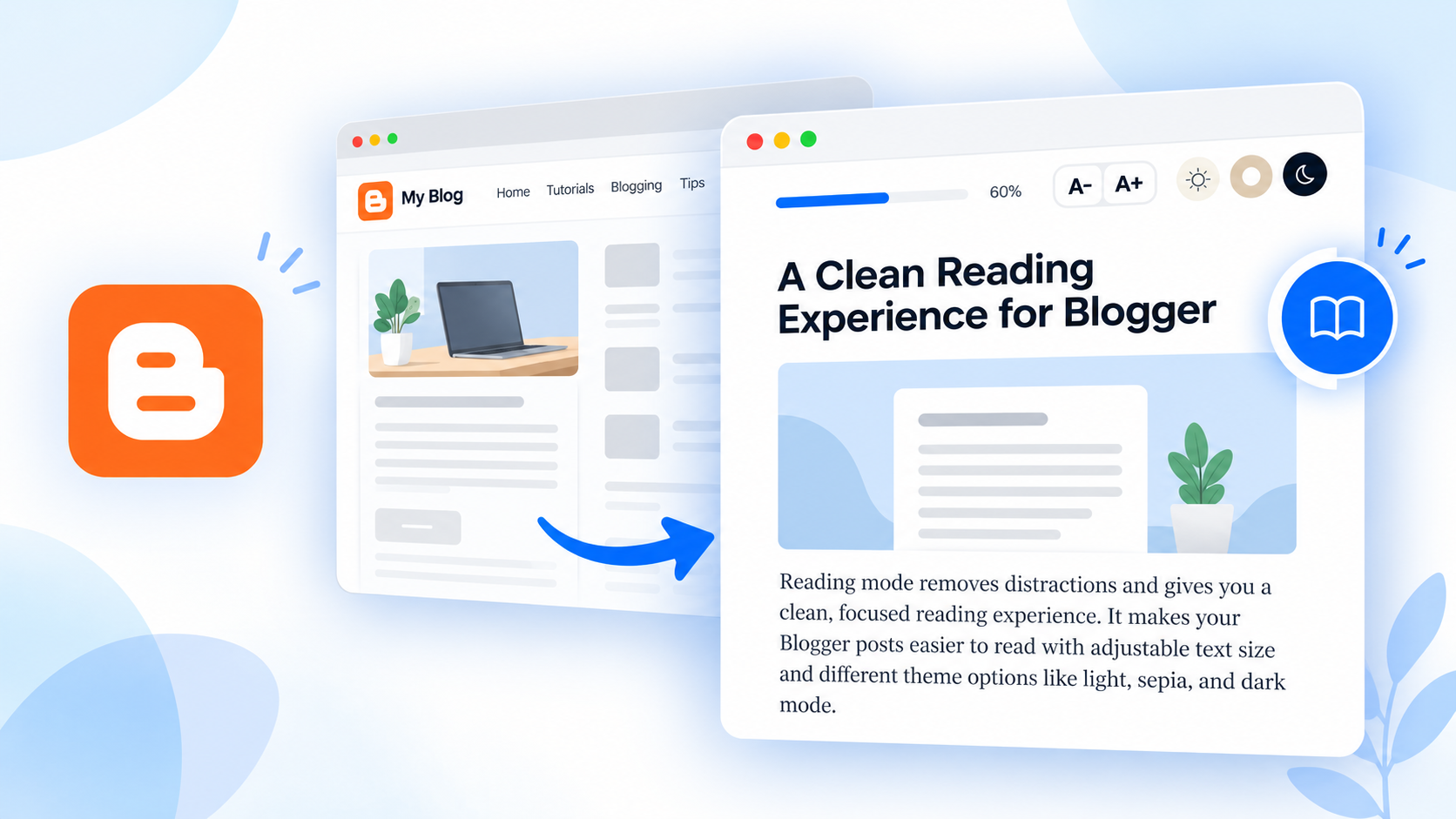
Have you ever opened an article and struggled to focus because of menus, sidebars, and other elements around the content? A reading mode helps visitors concentrate on the article itself by giving it a clean, comfortable reading layout.
If you run a Blogger website, you can add a distraction-free reading mode with a small HTML, CSS, and JavaScript snippet.
In this tutorial, I’ll show you how to add a floating Reading Mode button to individual Blogger posts, along with adjustable text sizes, three reading themes, and a reading progress bar.
What Is Reading Mode in Blogger?
Reading mode is an alternative view of a blog post designed for reading rather than browsing. When a visitor clicks the reading mode button, the article is presented in a full-screen reading layout, while the surrounding page design stays in the background.
Readers can switch back to the regular website whenever they want. The original article is not copied into a separate page, so readers continue working with the post’s existing content.
Features of This Blogger Reading Mode
The code in this guide includes:
- Floating reading button: A small circular book icon appears on eligible blog posts, with a subtle attention animation and a tooltip on hover.
- Three reading themes: Light, Sepia, and Dark, so visitors can choose a comfortable background.
- Adjustable font size: Use A− and A+ to change the text size between 16px and 26px.
- Reading progress bar: A thin bar at the top shows how far the reader has scrolled through the post.
- Reading-time estimate: The toolbar displays an estimated reading time and a word count, using a 200-words-per-minute calculation.
- Saved preferences: Font size and theme settings are saved in the visitor’s browser when local storage is available.
- Responsive layout: The reading controls and article padding adapt to smaller screens.
- Keyboard-friendly controls: Readers can press Esc to exit; the animation also respects reduced-motion preferences.
- Inline ad preservation: Existing ads placed inside the article content are not deliberately removed or recreated.
How to Add Reading Mode to a Blogger Website
You only need to add the code once to your Blogger theme. You do not need to edit each blog post separately.
Step 1: Back Up Your Blogger Theme
Sign in to your Blogger Dashboard and open Theme. Use the theme options menu to choose Backup, then save a copy of your current theme. If you make a mistake while editing the HTML, you can restore the backup.
Step 2: Open the Theme HTML Editor
From Theme, open the options menu beside Customize and select Edit HTML. You will see the HTML source of your Blogger template.
Use Ctrl + F (or Cmd + F on Mac) and search for: </body>
Step 3: Paste the Reading Mode Code
Copy the complete snippet below and paste it immediately above the closing </body> tag. Do not paste it in the Blogger post editor or a regular HTML/JavaScript gadget, because this snippet contains a Blogger template condition.
<!--Blogger Reading Mode -->
<b:if cond='data:view.isPost'>
<style type='text/css'>
#kb-rm-launch{position:fixed;right:20px;bottom:24px;z-index:2147481000;width:44px;height:44px;padding:0;display:flex;align-items:center;
justify-content:center;background:#2563eb;color:#fff;border:0;border-radius:50%;box-shadow:0 5px 18px rgba(37,99,235,.3);cursor:pointer;
transition:transform .2s ease,background .2s ease,box-shadow .2s ease;animation:kb-rm-pulse 2.2s ease-in-out 1s 3;}
#kb-rm-launch[hidden]{display:none !important;}
#kb-rm-launch svg{width:20px;height:20px;fill:none;stroke:currentColor;stroke-width:1.9;stroke-linecap:round;stroke-linejoin:round;}
#kb-rm-launch::after{content:"Reading Mode";position:absolute;right:calc(100% + 12px);top:50%;transform:translate(5px,-50%);white-space:nowrap;
background:#182235;color:#fff;font:600 12px/1 Arial,sans-serif;padding:10px 12px;border-radius:7px;box-shadow:0 4px 14px rgba(0,0,0,.15);
opacity:0;visibility:hidden;pointer-events:none;transition:opacity .2s ease,transform .2s ease,visibility .2s;}
#kb-rm-launch:hover::after,#kb-rm-launch:focus-visible::after{opacity:1;visibility:visible;transform:translate(0,-50%);}
#kb-rm-launch:hover{background:#1d4ed8;transform:translateY(-3px);box-shadow:0 7px 23px rgba(37,99,235,.38);}
@keyframes kb-rm-pulse{0%,100%{box-shadow:0 5px 18px rgba(37,99,235,.3);}
40%{box-shadow:0 0 0 9px rgba(37,99,235,.13),0 6px 22px rgba(37,99,235,.35);}
}
body.kb-rm-active{--kb-rm-bg:#ffffff;--kb-rm-text:#252a35;--kb-rm-muted:#717987;--kb-rm-border:#e5e7eb;--kb-rm-panel:#ffffff;--kb-rm-control:#f1f3f6;
--kb-rm-link:#2563eb;--kb-rm-font:19px;--kb-rm-top:145px;}
body.kb-rm-active[data-kb-rm-theme='sepia']{--kb-rm-bg:#f7f0e3;--kb-rm-text:#443a2d;--kb-rm-muted:#766a58;--kb-rm-border:#dfd2bd;--kb-rm-panel:#f7f0e3;
--kb-rm-control:#eae0d0;--kb-rm-link:#945b2d;}
body.kb-rm-active[data-kb-rm-theme='dark']{--kb-rm-bg:#171b24;--kb-rm-text:#e5e7eb;--kb-rm-muted:#a2aab9;--kb-rm-border:#343b48;--kb-rm-panel:#171b24;
--kb-rm-control:#2b313d;--kb-rm-link:#93b7ff;}
#kb-rm-panel{position:fixed;inset:0;z-index:2147482000;display:none;background:var(--kb-rm-bg);color:var(--kb-rm-text);font-family:Arial,sans-serif;
}
body.kb-rm-active #kb-rm-panel{display:block;}
#kb-rm-progress{height:3px;background:var(--kb-rm-border);}
#kb-rm-progress-fill{width:0;height:100%;background:#2563eb;}
#kb-rm-header{background:var(--kb-rm-panel);border-bottom:1px solid var(--kb-rm-border);}
.kb-rm-toolbar{display:flex;align-items:center;justify-content:space-between;flex-wrap:wrap;gap:12px;padding:11px 22px;border-bottom:1px solid var(--kb-rm-border);
}
.kb-rm-brand{font:700 14px Arial,sans-serif;color:var(--kb-rm-text);}
.kb-rm-controls{display:flex;align-items:center;flex-wrap:wrap;gap:6px;}
.kb-rm-btn{display:inline-flex;align-items:center;justify-content:center;min-width:36px;height:36px;padding:0 10px;background:var(--kb-rm-control);
color:var(--kb-rm-text);border:1px solid var(--kb-rm-border);border-radius:7px;font:600 12px Arial,sans-serif;cursor:pointer;}
.kb-rm-btn:hover{opacity:.8;}
.kb-rm-btn[aria-pressed='true']{background:#2563eb;color:#fff;border-color:#2563eb;}
.kb-rm-btn:disabled{opacity:.45;cursor:not-allowed;}
.kb-rm-btn:focus-visible,#kb-rm-launch:focus-visible{outline:3px solid #60a5fa;outline-offset:3px;}
#kb-rm-font-value{min-width:35px;color:var(--kb-rm-muted);text-align:center;font:600 12px Arial,sans-serif;}
#kb-rm-close{background:#fee2e2;border-color:#fecaca;color:#991b1b;font-size:20px;}
.kb-rm-intro{width:100%;padding:18px 25px;box-sizing:border-box;text-align:center;}
#kb-rm-title{max-width:850px;margin:0 auto 7px;color:var(--kb-rm-text);font:700 21px/1.35 Arial,sans-serif;}
#kb-rm-meta{color:var(--kb-rm-muted);font:12px Arial,sans-serif;}
body.kb-rm-active .kb-rm-ancestor{transform:none !important;filter:none !important;perspective:none !important;contain:none !important;
content-visibility:visible !important;isolation:auto !important;overflow:visible !important;clip-path:none !important;z-index:auto !important;
}
body.kb-rm-active .kb-rm-source{position:fixed !important;top:var(--kb-rm-top) !important;bottom:0 !important;left:0 !important;right:0 !important;
z-index:2147482001 !important;display:block !important;float:none !important;width:100% !important;max-width:none !important;min-width:0 !important;
height:auto !important;max-height:none !important;margin:0 !important;padding:30px max(22px,calc((100vw - 790px) / 2)) 90px !important;
box-sizing:border-box !important;overflow-x:hidden !important;overflow-y:auto !important;background:var(--kb-rm-bg) !important;color:var(--kb-rm-text) !important;
border:0 !important;border-radius:0 !important;box-shadow:none !important;font-size:var(--kb-rm-font) !important;
line-height:1.8 !important;overflow-wrap:break-word;overscroll-behavior:contain;}
body.kb-rm-active .kb-rm-source :is( p,li,ul,ol,div,span,a,strong,b,em,i,blockquote,section,article,small ){font-size:inherit !important;
line-height:inherit !important;}
body.kb-rm-active .kb-rm-source p{margin:0 0 1.25em !important;color:var(--kb-rm-text) !important;}
body.kb-rm-active .kb-rm-source h1,body.kb-rm-active .kb-rm-source h2,body.kb-rm-active .kb-rm-source h3,body.kb-rm-active .kb-rm-source h4,body.kb-rm-active .kb-rm-source h5,body.kb-rm-active .kb-rm-source h6{
color:var(--kb-rm-text) !important;line-height:1.35 !important;font-weight:700 !important;margin:1.6em 0 .65em !important;}
body.kb-rm-active .kb-rm-source h1{font-size:1.7em !important;}
body.kb-rm-active .kb-rm-source h2{font-size:1.5em !important;}
body.kb-rm-active .kb-rm-source h3{font-size:1.25em !important;}
body.kb-rm-active .kb-rm-source h4,body.kb-rm-active .kb-rm-source h5,body.kb-rm-active .kb-rm-source h6{font-size:1.1em !important;
}
body.kb-rm-active .kb-rm-source a{color:var(--kb-rm-link) !important;}
body.kb-rm-active .kb-rm-source img{max-width:100% !important;height:auto !important;}
body.kb-rm-active .kb-rm-source ul,body.kb-rm-active .kb-rm-source ol{margin:0 0 1.2em !important;padding-left:1.6em !important;}
body.kb-rm-active .kb-rm-source li{margin-bottom:.3em !important;color:var(--kb-rm-text) !important;}
body.kb-rm-active .kb-rm-source blockquote{margin:25px 0 !important;padding:10px 20px !important;border-left:4px solid var(--kb-rm-link) !important;
color:var(--kb-rm-text) !important;}
body.kb-rm-active .kb-rm-source pre{max-width:100%;overflow-x:auto;padding:15px;border:1px solid var(--kb-rm-border);border-radius:8px;
font:14px/1.65 Consolas,Monaco,monospace !important;}
body.kb-rm-active .kb-rm-source code{font-family:Consolas,Monaco,monospace !important;font-size:.85em !important;}
body.kb-rm-active .kb-rm-source table{max-width:100%;margin:20px 0;border-collapse:collapse;}
body.kb-rm-active .kb-rm-source th,body.kb-rm-active .kb-rm-source td{border:1px solid var(--kb-rm-border);padding:9px;}
html.kb-rm-active,body.kb-rm-active{overflow:hidden !important;}
body.kb-rm-active #kb-rm-launch{display:none !important;}
@media (max-width:650px){#kb-rm-launch{right:15px;bottom:calc(20px + env(safe-area-inset-bottom));width:42px;height:42px;}
.kb-rm-toolbar{padding:10px 12px;gap:9px;}
.kb-rm-brand{font-size:13px;}
.kb-rm-controls{gap:4px;}
.kb-rm-btn{min-width:33px;height:34px;padding:0 8px;font-size:11px;}
.kb-rm-intro{padding:14px 20px;}
#kb-rm-title{font-size:18px;}
body.kb-rm-active .kb-rm-source{padding:25px 20px 80px !important;}
}
@media (prefers-reduced-motion:reduce){#kb-rm-launch{animation:none !important;transition:none !important;}
#kb-rm-launch::after{transition:none !important;}
}
</style>
<button id='kb-rm-launch' type='button' hidden='hidden' title='Reading Mode' aria-label='Open Reading Mode' aria-expanded='false'>
<svg viewBox='0 0 24 24' aria-hidden='true' focusable='false'>
<path d='M12 7v14'/>
<path d='M3 18V5a2 2 0 0 1 2-2h2a5 5 0 0 1 5 5 5 5 0 0 1 5-5h2a2 2 0 0 1 2 2v13h-4a5 5 0 0 0-5 3 5 5 0 0 0-5-3H3z'/>
</svg>
</button>
<div id='kb-rm-panel' aria-hidden='true'>
<div id='kb-rm-header'>
<div id='kb-rm-progress'>
<div id='kb-rm-progress-fill'>
</div>
</div>
<div class='kb-rm-toolbar' role='group' aria-label='Reading Mode controls'>
<div class='kb-rm-brand'> Reading Mode </div>
<div class='kb-rm-controls'>
<button class='kb-rm-btn' id='kb-rm-smaller' type='button' title='Decrease text size' aria-label='Decrease text size'> A- </button>
<span id='kb-rm-font-value' aria-live='polite'>19px</span>
<button class='kb-rm-btn' id='kb-rm-larger' type='button' title='Increase text size' aria-label='Increase text size'> A+ </button>
<button class='kb-rm-btn' data-rm-theme='light' type='button' aria-pressed='true'> Light </button>
<button class='kb-rm-btn' data-rm-theme='sepia' type='button' aria-pressed='false'> Sepia </button>
<button class='kb-rm-btn' data-rm-theme='dark' type='button' aria-pressed='false'> Dark </button>
<button class='kb-rm-btn' id='kb-rm-close' type='button' title='Exit Reading Mode' aria-label='Exit Reading Mode'> × </button>
</div>
</div>
<div class='kb-rm-intro'>
<h2 id='kb-rm-title'>
</h2>
<div id='kb-rm-meta'>
</div>
</div>
</div>
</div>
<script type='text/javascript'>
//<![CDATA[
(function () { 'use strict'; function initializeReader() { var launch = document.getElementById('kb-rm-launch');
var panel = document.getElementById('kb-rm-panel'); var header = document.getElementById('kb-rm-header');
var close = document.getElementById('kb-rm-close'); var smaller = document.getElementById('kb-rm-smaller');
var larger = document.getElementById('kb-rm-larger'); var fontValue = document.getElementById('kb-rm-font-value');
var titleOutput = document.getElementById('kb-rm-title'); var metaOutput = document.getElementById('kb-rm-meta');
var progressFill = document.getElementById('kb-rm-progress-fill'); if (!launch || !panel || !header) return;
var selectors = [ '.post-body', '[itemprop="articleBody"]', '.entry-content', '.article-content', '.post-content' ];
var article = null; for (var i = 0; i < selectors.length; i++) { var matches = document.querySelectorAll(selectors[i]);
for (var j = 0; j < matches.length; j++) { if ( matches[j].textContent.trim().length > 80 && !panel.contains(matches[j]) ) { article = matches[j];
break; } } if (article) break; } if (!article) return; launch.hidden = false; function loadValue(key, fallback) { try { return localStorage.getItem(key) || fallback;
} catch (e) { return fallback; } } function saveValue(key, value) { try { localStorage.setItem(key, String(value));
} catch (e) {} } var fontSize = parseInt( loadValue('kb_rm_font_size', '19'), 10 ); if (!Number.isFinite(fontSize)) { fontSize = 19;
} fontSize = Math.max(16, Math.min(26, fontSize)); var currentTheme = loadValue('kb_rm_theme', 'light');
if ( ['light', 'sepia', 'dark'].indexOf(currentTheme) === -1 ) { currentTheme = 'light'; } var isOpen = false;
var ancestors = []; function getTitle() { var titleSelectors = [ '.post-title', '.entry-title', 'h1[itemprop="headline"]', 'article h1', 'h1' ];
for (var i = 0; i < titleSelectors.length; i++) { var el = document.querySelector(titleSelectors[i]);
if (el && el.textContent.trim()) { return el.textContent.trim(); } } return document.title; } function applyFontSize() { document.body.style.setProperty( '--kb-rm-font', fontSize + 'px' );
fontValue.textContent = fontSize + 'px'; smaller.disabled = fontSize <= 16; larger.disabled = fontSize >= 26;
saveValue('kb_rm_font_size', fontSize); if (isOpen) updateProgress(); } function applyTheme(theme) { currentTheme = theme;
document.body.setAttribute( 'data-kb-rm-theme', theme ); var buttons = panel.querySelectorAll( '[data-rm-theme]' );
Array.prototype.forEach.call( buttons, function (button) { var selected = button.getAttribute('data-rm-theme') === theme;
button.setAttribute( 'aria-pressed', selected ? 'true' : 'false' ); } ); saveValue('kb_rm_theme', theme);
} function markAncestors() { var parent = article.parentElement; while ( parent && parent !== document.body && parent !== document.documentElement ) { parent.classList.add('kb-rm-ancestor');
ancestors.push(parent); parent = parent.parentElement; } } function restoreAncestors() { ancestors.forEach(function (element) { element.classList.remove('kb-rm-ancestor');
}); ancestors = []; } function updateReaderPosition() { if (!isOpen) return; var height = header.getBoundingClientRect().height;
document.body.style.setProperty( '--kb-rm-top', Math.ceil(height) + 'px' ); } function updateProgress() { if (!isOpen) return;
var scrollable = article.scrollHeight - article.clientHeight; var percentage = scrollable > 0 ? (article.scrollTop / scrollable) * 100 : 100;
progressFill.style.width = Math.max(0, Math.min(100, percentage)) + '%'; } function openReader() { if (isOpen) return;
var words = article.textContent .trim() .split(/\s+/) .filter(Boolean) .length; var minutes = Math.max(1, Math.ceil(words / 200));
var siteHeading = document.querySelector('.post-title,.entry-title,h1[itemprop="headline"],article h1,h1');
titleOutput.style.fontFamily = getComputedStyle(siteHeading || article).fontFamily;
titleOutput.textContent = getTitle(); metaOutput.textContent = minutes + ' min read \u2022 ' + words.toLocaleString() + ' words';
markAncestors(); article.classList.add('kb-rm-source'); isOpen = true; document.documentElement.classList.add( 'kb-rm-active' );
document.body.classList.add('kb-rm-active'); panel.setAttribute('aria-hidden', 'false'); launch.setAttribute('aria-expanded', 'true');
applyTheme(currentTheme); applyFontSize(); updateReaderPosition(); article.scrollTop = 0; updateProgress();
close.focus(); } function closeReader() { if (!isOpen) return; isOpen = false; article.classList.remove('kb-rm-source');
document.body.classList.remove('kb-rm-active'); document.documentElement.classList.remove( 'kb-rm-active' );
panel.setAttribute('aria-hidden', 'true'); launch.setAttribute('aria-expanded', 'false'); document.body.style.removeProperty( '--kb-rm-top' );
restoreAncestors(); launch.focus(); } launch.addEventListener('click', openReader); close.addEventListener('click', closeReader);
larger.addEventListener('click', function () { fontSize = Math.min(26, fontSize + 1); applyFontSize();
}); smaller.addEventListener('click', function () { fontSize = Math.max(16, fontSize - 1); applyFontSize();
}); var themeButtons = panel.querySelectorAll( '[data-rm-theme]' ); Array.prototype.forEach.call( themeButtons, function (button) { button.addEventListener('click', function () { applyTheme( button.getAttribute('data-rm-theme') );
}); } ); article.addEventListener( 'scroll', updateProgress, { passive: true } ); window.addEventListener( 'resize', function () { if (!isOpen) return;
updateReaderPosition(); updateProgress(); }, { passive: true } ); document.addEventListener('keydown', function (event) { if (isOpen && event.key === 'Escape') { closeReader();
} }); applyTheme(currentTheme); applyFontSize(); } if (document.readyState === 'loading') { document.addEventListener( 'DOMContentLoaded', initializeReader );
} else { initializeReader(); } })();
//]]>
</script>
</b:if>Step 4: Save and Test the Reading Mode
Click Save in Blogger’s HTML editor. Then open a published blog post on your website, ideally one containing several paragraphs.
You should see a small floating book icon near the bottom-right corner. Click it to open reading mode. Try changing the font size and theme, scroll down to check the progress bar, and click × or press Esc to return to the original layout.
Note: This code is set to work on individual blog posts, not the homepage or static pages. The floating button also stays hidden if the script cannot find a suitable article body containing more than 80 characters of text.
How the Reading Mode Works
The script looks for a Blogger article content container such as .post-body. When the reader opens the mode, it applies a reading layout to that existing container and displays a full-screen reading panel.
It does not clone or move the article content. That matters for posts containing images, embedded elements, or inline advertisements, because the existing nodes stay in place. However, whether a specific third-party ad displays correctly still depends on the ad provider and your theme.
The reading toolbar allows visitors to choose Light, Sepia, or Dark mode. It also keeps the selected font size and theme in local storage when supported, so the same visitor can reuse those preferences on later visits.
Will Reading Mode Affect Ads or Website Speed?
The snippet does not include an ad-blocking feature. Advertisements inserted within the article body remain in the article’s HTML. Ads in your sidebar, header, or other areas outside the article will not appear in the focused reading view. Always test the result with your actual ad setup; some ad networks use overlays or scripts that behave differently in a fixed reading layout.
For performance, the solution does not load any external JavaScript library or web font. It is also wrapped in Blogger’s data:view.isPost condition, so the extra interface is intended only for post pages. Still, any added CSS and JavaScript has some cost, and real-world performance depends on the theme and the rest of the site. Test a few posts on mobile and desktop after installation.
Frequently Asked Questions
Final Thoughts
Adding a reading mode is a simple way to offer a more comfortable reading experience on a Blogger website. Visitors get a focused article view, while retaining control over the text size, colors, and when to return to the regular page.
Try the feature on a few long posts first, especially on mobile devices, to make sure it works well with your particular Blogger theme.