How to Block Traffic From Specific Country (WordPress)
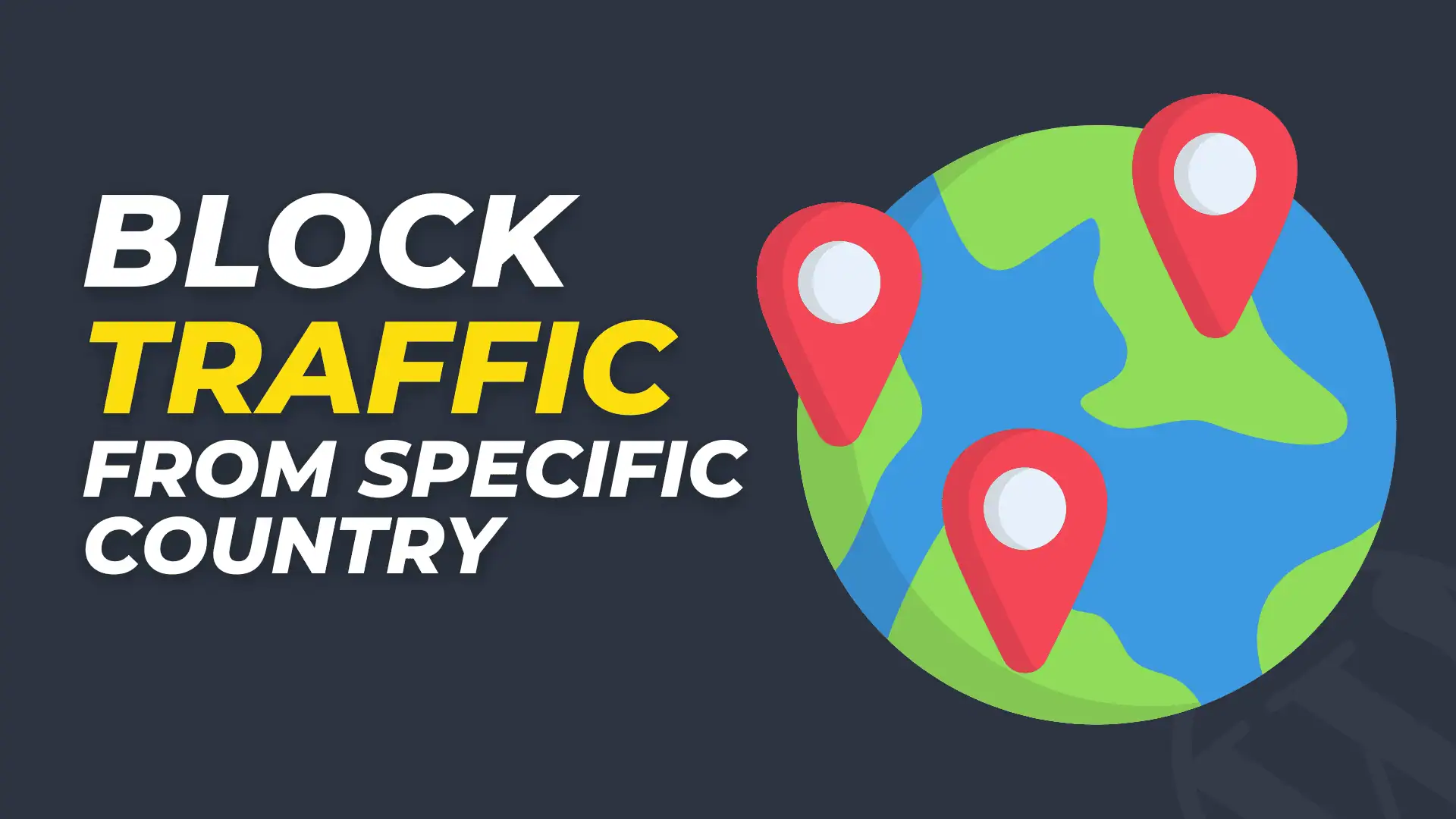
Many website owners notice unusual traffic patterns in their analytics. Sometimes the traffic comes from countries where your business, audience, or services are not relevant. In some cases, that traffic may even be bots or malicious attempts to exploit your website.
Blocking traffic from specific countries is a common security and optimization practice. In this guide, you will learn what country blocking means, why it matters, and different ways to implement it using CDN services, hosting providers, and WordPress plugins.
What Does “Blocking Traffic by Country” Mean?
Blocking traffic by country means preventing visitors from certain geographic locations from accessing your website.
This is usually done using IP-based geolocation. Every device connected to the internet has an IP address (Internet Protocol address). These IP addresses can be mapped to geographic locations such as country, region, or city.
When a visitor tries to access your website:
- Their IP address is detected.
- A geo-location database checks which country the IP belongs to.
- If the country is on your block list, the visitor is denied access.
Instead of loading your website, they may see a 403 Forbidden error, a blocked page, or simply be redirected elsewhere.
What is an IP Address?
An IP Address (Internet Protocol Address) is a unique numerical label assigned to every device connected to the internet. It acts like a digital address that allows devices to find and communicate with each other on a network.
Whenever someone visits a website, their device sends a request to the web server. This request includes the visitor’s IP address so the server knows where to send the website data back.
Without IP addresses, devices on the internet would not be able to locate each other.
Why Block Traffic from Certain Countries?
There are several practical reasons website owners choose to block traffic from specific countries.
1. Reduce Spam and Bot Traffic
Many automated bots originate from data centers located in specific regions. These bots can:
- Scrape your content
- Attempt brute-force login attacks
- Flood your website with fake traffic
Blocking high-risk regions can significantly reduce this unwanted activity.
2. Improve Website Security
Hackers often run automated scripts that scan thousands of websites looking for vulnerabilities.
Blocking traffic from regions known for high attack volumes can reduce risks such as:
- Malware injections
- Login brute force attempts
- SQL injection attacks
This is not a complete security solution, but it adds an additional protection layer.
3. Save Server Resources
Every request to your website uses server resources such as CPU, RAM, and bandwidth.
If large amounts of irrelevant traffic are hitting your website, it can slow down your site or increase hosting costs.
Blocking unnecessary regions can help:
- Reduce server load
- Improve site speed
- Save bandwidth
4. Target Only Relevant Audience
Some websites only serve users from specific countries. For example:
- Local businesses
- Government portals
- Region-specific services
- Membership websites
Blocking other countries ensures your website only serves the intended audience.

Methods to Block Traffic from Specific Countries
There are several ways to implement country blocking depending on your setup.
The most common methods include:
- CDN (Content Delivery Network)
- Hosting provider firewall
- WordPress security plugins
Let’s explore each method in detail.
Method 1: Block Countries Using a CDN
A CDN (Content Delivery Network) is a network of servers distributed across different geographic locations. It helps deliver your website faster and also provides security features.
Many CDN providers include geo-blocking tools.
Popular CDN services include:
- Cloudflare
- Sucuri
- BunnyCDN
- StackPath
Example: Blocking Countries with Cloudflare
Steps:
- Log in to your Cloudflare dashboard.
- Select your website.
- Go to Security → WAF (Web Application Firewall).
- Create a Firewall Rule.
- Choose Country as the condition.
- Select the countries you want to block.
- Set the action to Block.
Once enabled, visitors from those countries will be blocked before they reach your server.
Benefits of CDN-based blocking
- Happens before traffic reaches your server
- Reduces server load
- Improves security
- Easy to configure
Method 2: Block Countries Through Your Hosting Provider
Many hosting companies provide built-in security tools that allow country blocking.
For example, some hosting dashboards include:
- GeoIP blocking
- Firewall rules
- Security modules
If your hosting provider supports this feature, you can configure it directly from the control panel.
Typical steps:
- Log in to your hosting dashboard.
- Open Security Settings or Firewall Settings.
- Find the GeoIP blocking option.
- Select the countries you want to block.
- Save changes.
Advantages
- Easy to configure
- No extra plugin needed
- Managed at the server level
However, not all hosting providers offer this feature on basic plans.
How to Block Traffic from Specific Countries in Hostinger
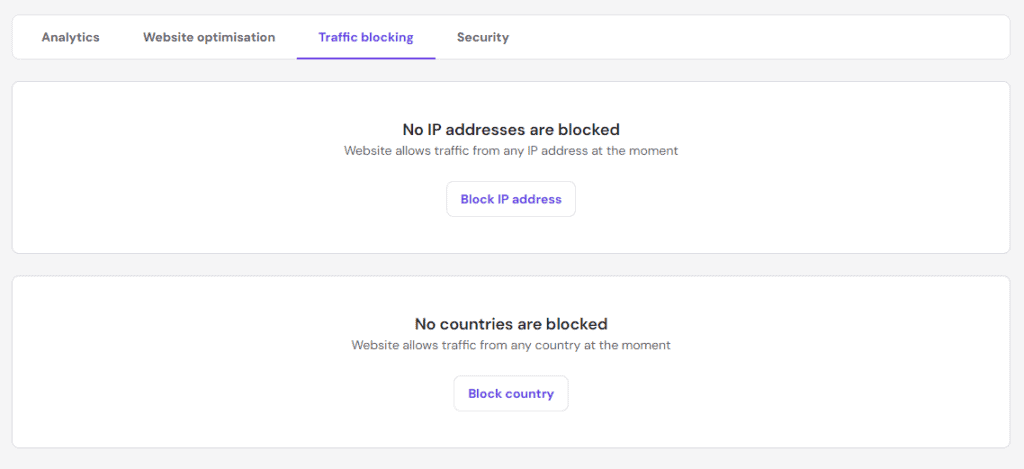
If you are using hostinger then login to your hpanel and to Performance > CDN option.
Now, open the section Traffic blocking, click on Block country, select the countries you want to block and click on Block to confirm.
Method 3: Block Countries Using WordPress Plugins
If your website runs on WordPress, you can block countries using security plugins.
Some popular plugins include:
- Wordfence Security (Premium)
- iThemes Security (Solid Security)
- All In One WP Security
- Country Access Blocker
These plugins include firewall features that can block access based on geographic location.
Example Using Wordfence
Steps:
- Install and activate the Wordfence plugin.
- Go to Wordfence → Firewall.
- Open the Blocking section.
- Select Block visitors by country.
- Choose the countries you want to block.
Once enabled, visitors from those countries will be prevented from accessing your site.
Advantages
- Easy setup
- Works inside WordPress
- Includes additional security features
Limitations
- Blocking happens after the request reaches your server
- May consume server resources
- Required Premium version
Because of this, CDN-level blocking is usually more efficient.
What is a Firewall?
A firewall is a security system that monitors and controls incoming and outgoing network traffic based on predefined rules. It acts as a protective barrier between a trusted network and untrusted traffic from the internet.
In simple terms, a firewall works like a security guard for your website or network. It checks every request coming to the server and decides whether to allow it or block it.
If the request looks suspicious or violates security rules, the firewall blocks it before it can cause harm.
Best Practices Before Blocking Countries
Before implementing geo-blocking, consider these best practices.
Check Your Analytics
Look at your website analytics tools such as:
- Google Analytics
- Google Search Console
- Cloudflare Analytics
Identify which countries generate suspicious or irrelevant traffic.
Avoid Blocking Search Engines
Search engine crawlers may use IP addresses from different countries. Blocking them may affect indexing.
Always allow traffic from legitimate bots.
Consider Partial Blocking
Instead of blocking entire countries, you may:
- Block login pages
- Protect admin areas
- Enable CAPTCHA
- Use rate limiting
This provides protection without restricting genuine visitors.
Conclusion
Blocking traffic from specific countries can help improve your website’s security, reduce spam traffic, and save server resources. It is especially useful for websites that target audiences from specific regions.
There are multiple ways to implement country blocking, including CDN services, hosting firewalls, WordPress security plugins, and server-level configuration.
Among these options, CDN-level blocking is usually the most efficient because unwanted traffic is stopped before it reaches your server.
Before implementing geo-blocking, always analyze your traffic and ensure that you are not blocking legitimate users or search engines.
With the right setup, country blocking can become an effective part of your overall website security strategy.